04 / 12 · App · 2026
Ceviz Forms
Design a survey, collect it on screen or on printed A4, and score the answers automatically.
- Digital + paper
- Automatic scoring
- Role
- CTO
- Where
- Ceviz Biyoteknoloji
- Year
- 2026
3 real screens from the app
Inside the app
Screen 01
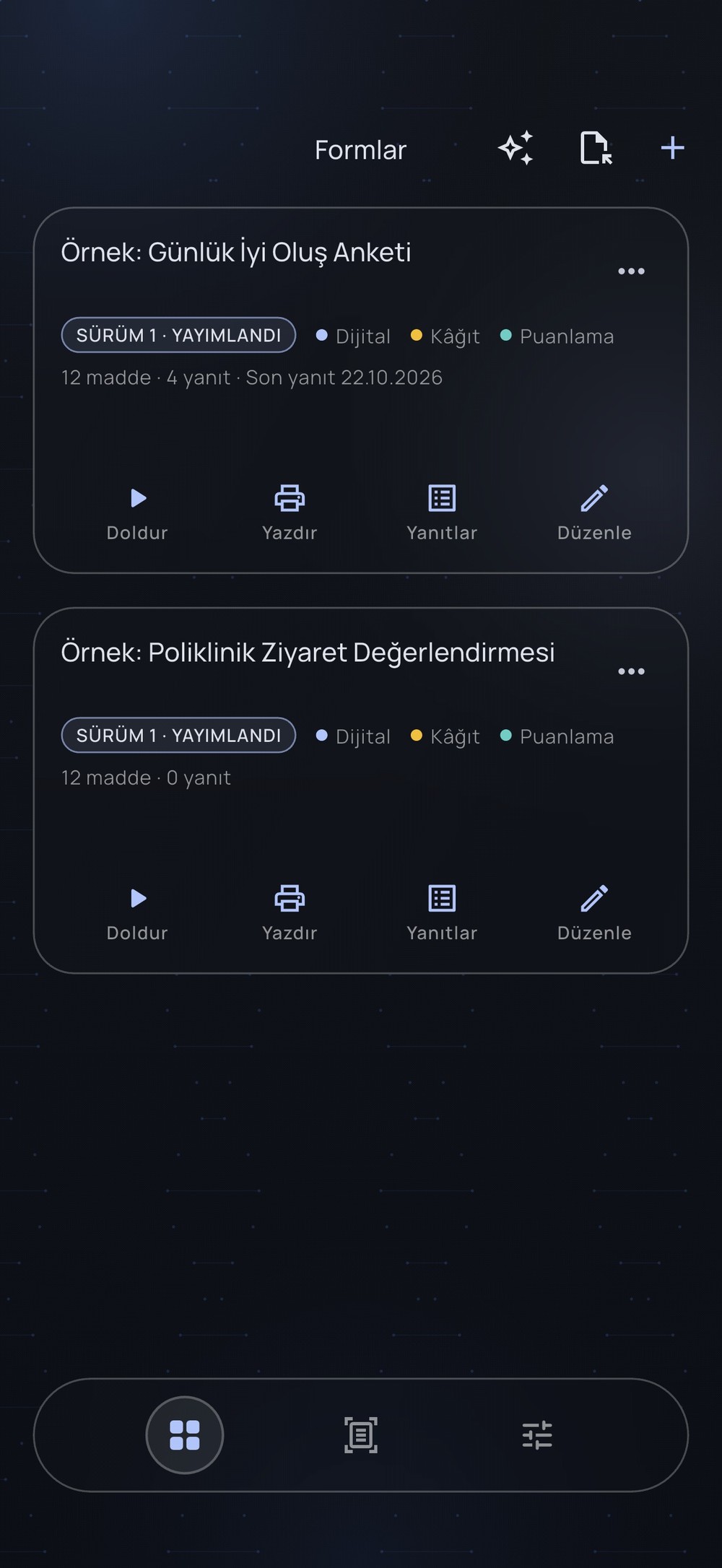
Form library
Every survey with its version, its channels (digital, paper, scoring) and its responses. Fill, print, review or edit from one card.
Screen 02
Print to A4
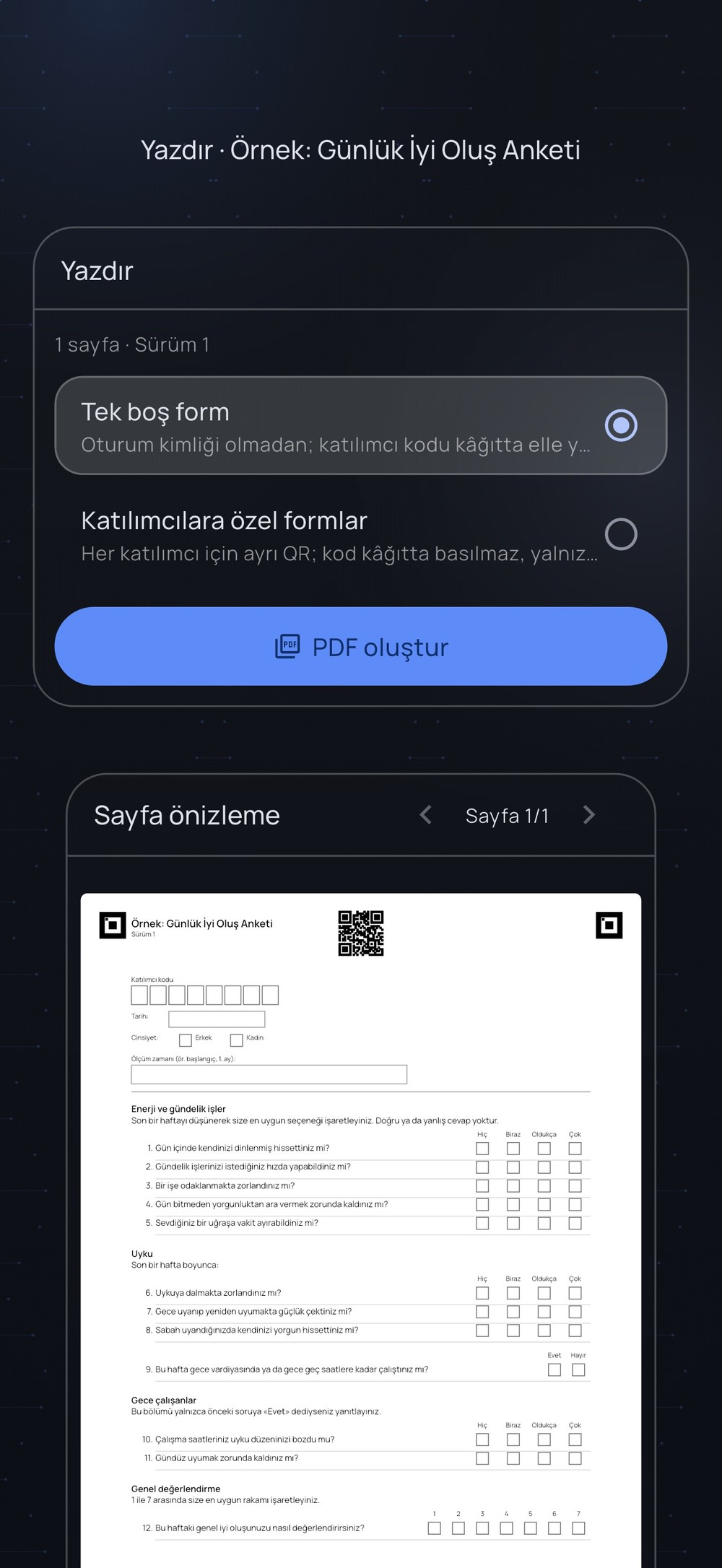
A blank form, or one QR-coded form per participant, exported as a PDF. Corner markers let a scanned page be read back.
Screen 03
On screen
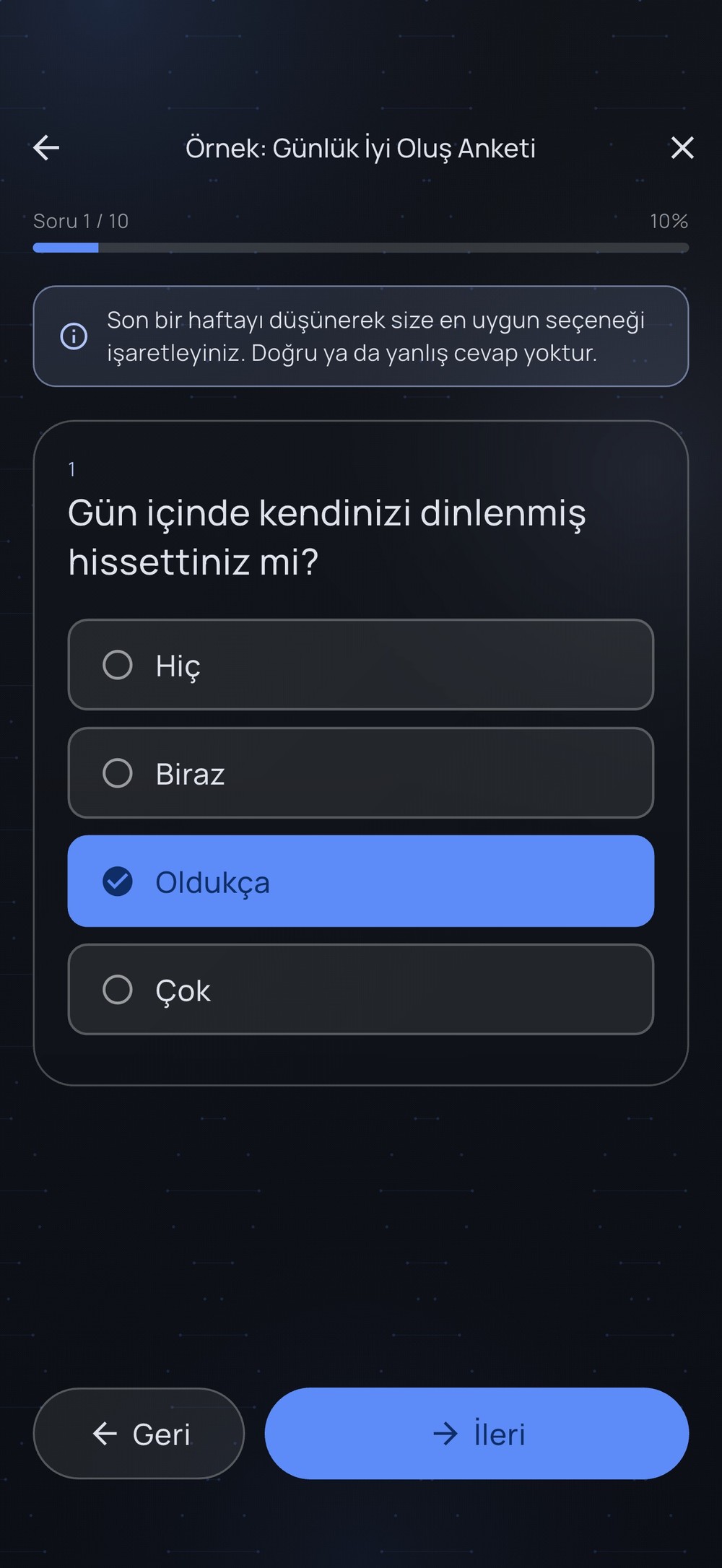
The same survey answered on a phone, one question at a time.
Presenting? ← → walk through this page, screen by screen, and on to the next project.
Built with
Every layer of the stack, and what it does in this project.
- L1Interface
Designs, collects and prints surveys.
- L2Data
Local database.
- L3Recognition
Optical mark recognition reads the answers from scanned paper.
- L4Output
One blank PDF, or one QR-coded page per participant.
What I did
Design a survey once, then collect it on screen or on printed A4.
Print a blank form, or one QR-coded form per participant.
Score the answers automatically.
Where to next?